
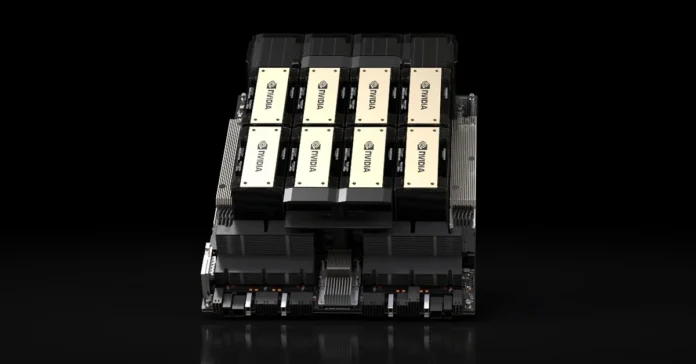


When every model throws numbers and codes at you, it’s easy to get confused when shopping for tech gear. There are a lot of people like you who are looking at an H200 and want something solid without many technical terms.
Knowing the specs will help you decide if the setup is right for you. If you want to learn more about H200 specs, this short guide breaks down the most important things to keep an eye on.
1. Size and Dimensions
There are approximately 14 inches of height, 8 inches of width, and 14 inches of depth. It is large enough to accommodate the majority of mini-ITX builds without taking up an excessive amount of space on your desk. The fact that it is so compact makes it simple to store on shelves or in spaces with limited space.
Even though it is a modest plan, it does not have a packed feeling to it. Builders can still install components such as graphics processing units (GPUs) and cooling fans.
2. Build Material and Design
The H200’s body is made of strong steel pieces. This adds weight, yet it enhances protection and extends its lifespan. The sides and front are strong, and the glass side lets you see what’s inside. It doesn’t bend or shake like some cheaper cases do.
Everything looks and feels clean and sharp. Most sets look good with the color options, like matte black or white. It’s safe and pleasing to look at thanks to its smart layout and squared edges.
3. Internal Capacity and Layout
Mini CPUs, GPUs, and up to two 2.5-inch drives can fit in the case. One 3.5-inch drive is kept in a hidden box. A power source for SFX can also fit. Even though it’s big, the case can still be upgraded.
It looks like a lot of thought went into the cable routes and storage areas. Gaps and tie places that are already there make it easy to route cables. That makes the inside look clean and lets air flow through it.
4. Performance Features
Check the area for airflow, fans, and cables. Your parts will stay cooler if there is more air flow. Front and back fans move air in and out to keep the temperature stable.
Cable management clears up space and lets air move. Installed fans save time, and additional space for a GPU allows for future updates.
5. Port and Connectivity Options
Front ports help you do things faster. The front of most H200 cases has a power button, speaker jacks, and USB 3.0 ports. That means you won’t have to get down on your knees to plug things in.
Also, make sure there is room for adding ports to the back. This gives you more ways to connect external devices like sound gear or extra drives.
6. Ease of Installation
Pick a case that won’t get in the way of your building. Features such as removable panels, tool-free drive bays, and wire cutouts are highly beneficial. These features help both new and experienced users save time and keep things easy. It helps to have clear directions and enough space to move your hands.
Check These Essential Specs
Before making any purchase or setup decision, make sure you understand what the H200 truly offers. These essential specs will help you evaluate its compatibility, performance, and long-term value.