
Navigating the landscape of AI image editors, especially those offering greater creative freedom, requires a strategic approach. The goal isn’t just to find a tool, but to integrate it into a workflow that consistently delivers your desired output. Think of it like building an AI video generator pipeline: the most effective tools are those that streamline your process from concept to final asset, with clear boundaries and predictable results.
1. Define Your Output Before You Begin
Before exploring any AI image editor, clearly articulate the end product. Are you aiming for a quick concept sketch, a detailed character design, a social media asset, or a high-fidelity image for print? The specificity of your goal will dictate the features you truly need and prevent you from getting sidetracked by impressive but ultimately irrelevant capabilities. Focus on how a tool serves your practical outcome, rather than its feature list alone.
2. Evaluate Tools Through a Workflow Lens
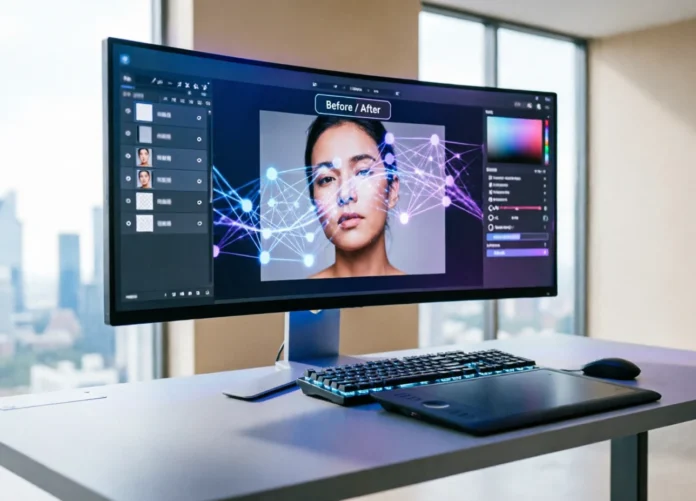
The real test of an AI editor’s utility lies in how seamlessly it fits into your creative process. Consider its strengths in core areas like inpainting (modifying existing image sections), outpainting (extending images beyond their original borders), and restyling (applying new artistic styles). A robust tool should minimize friction at each stage, from initial asset import to final export. Gaps between steps, such as poor handling of source images or inconsistent application of style, can derail an otherwise promising project.
3. Conduct Controlled Comparative Tests
When faced with multiple options, resist the urge to jump between them randomly. Instead, select a small shortlist – perhaps 3-4 tools – and run the same brief through each. Use a consistent subject, desired style, format, and success criteria. This controlled comparison reveals how each tool performs under identical conditions, highlighting differences in workflow efficiency, output quality, and ease of revision, rather than relying on chance. Pay close attention to:
- How well it handles complex inpainting and outpainting tasks.
- The flexibility and control offered for restyling.
- Whether it’s a hosted service or a self-hosted solution, and the implications for your setup.
4. Scrutinize Beyond the Demos
Initial demonstrations often showcase ideal scenarios. For projects requiring creative latitude, delve deeper into aspects like policy clarity, data privacy, and the tool’s consistency. Your aim is lawful, consent-safe creative control that delivers predictable results over time. Demos rarely expose common pitfalls such as long queue times, hidden content restrictions, weak revision controls, or inconsistent output quality on subsequent attempts. The second and third iterations of a project often reveal more about a tool’s true capabilities than the first, polished result.
5. Build a Replicable Production Method
The most valuable AI workflow is one you can revisit and refine without starting from scratch. Document everything: your prompts, source assets, discarded versions, and final settings. This meticulous record-keeping transforms individual experiments into a reusable production method.
Adopt an iterative approach: make small, measurable changes. Adjust one prompt detail, swap a single source image, or tweak one style parameter at a time. This allows you to clearly understand the impact of each revision. Implement a “stop rule” – decide in advance how many iterations you’ll attempt before re-evaluating your brief. Endless generation can often mask a fundamental issue with the initial concept.
Once your still image, edit, or initial clip is finalized, consider a motion test. Tools like uncensored AI image generator can help you assess how your visual idea translates into animation, ensuring it maintains its impact through the next stages of your creative project.