
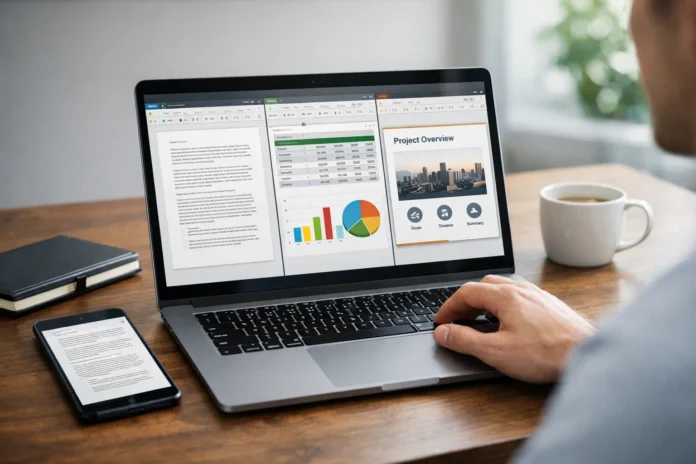

When I first switched from Microsoft Office to WPS Office a few years ago, my biggest concern was simple: would my files still open correctly? Would that meticulously formatted report look the same? Would my Excel formulas survive? These are questions millions of students, freelancers, and professionals ask every day, and the answers matter far more than most people realize.
This article breaks down exactly how WPS Office stacks up against other office software suites, focusing on real-world compatibility with Word, Excel, and PowerPoint files.
What Is WPS Office and Why Is It Growing So Fast?
WPS Office, developed by Kingsoft Corporation, is a full-featured office productivity suite available on Windows, macOS, Linux, Android, and iOS. Originally known as Kingsoft Office, it has evolved into one of the most downloaded office software solutions globally, particularly popular across Asia, Southeast Asia, and increasingly in Western markets.
The suite includes WPS Writer (a Word alternative), WPS Spreadsheets (an Excel alternative), and WPS Presentation (a PowerPoint alternative), all bundled in a lightweight, fast-loading package. The free version of WPS办公软件 offers capabilities that many paid competitors charge handsomely for, which explains its explosive growth among budget-conscious users and students.
WPS Office Compatibility With Microsoft Word: How Close Is It Really?
This is the question every new user asks first. The short answer is: remarkably close, but not perfect.
WPS Writer opens .doc, .docx, and .rtf files with strong fidelity. In most everyday documents such as letters, essays, reports, and resumes, the formatting holds up extremely well. Fonts, paragraph spacing, tables, and page margins typically transfer without issues.
Where things get slightly tricky is with highly complex Word documents that use advanced macros, embedded objects, or deeply nested styles. These edge cases can occasionally cause minor layout shifts. For the vast majority of users working with standard business or academic documents, however, WPS Office handles Microsoft Word files as reliably as any competing alternative on the market.
The interface itself closely mirrors Word’s ribbon-style layout, which means the learning curve is nearly flat. If you’ve used Microsoft Word, you’ll feel at home in WPS Writer within minutes.
Excel Compatibility in WPS Spreadsheets: Formulas, Charts, and Data Integrity
Spreadsheet compatibility is often where office suites stumble, and where WPS Office genuinely impresses.
WPS Spreadsheets supports .xls and .xlsx formats and handles the vast majority of Excel functions without conversion errors. Standard formulas like VLOOKUP, IF statements, SUMIF, and pivot tables work as expected. For data analysts and finance professionals dealing with large datasets, this level of formula fidelity is critical.
Charts and graphs also render with good accuracy in most scenarios. There are occasional discrepancies in conditional formatting or complex chart styles, but these are minor compared to what you’d encounter in less capable free alternatives. WPS办公软件 has clearly invested significant engineering effort into Excel compatibility, and it shows.
PowerPoint Compatibility in WPS Presentation: Slides, Animations, and Themes
Presentations are perhaps the most visually sensitive format in the Microsoft Office ecosystem, and compatibility failures here are immediately obvious to an audience.
WPS Presentation opens .ppt and .pptx files with solid layout preservation. Slide transitions, text boxes, images, and basic animations carry over reliably. Custom themes and embedded fonts occasionally need minor adjustments, particularly in slides that use proprietary Microsoft design assets.
For students preparing academic presentations or professionals sharing decks with clients, WPS Office delivers a dependable experience. The software even offers its own library of templates, which are polished and professional enough for most use cases.
WPS Office vs Google Docs, LibreOffice, and Apple iWork
Comparing WPS办公软件 to other alternatives reveals a clear competitive advantage in one key area: Microsoft Office file fidelity.
Google Docs is excellent for cloud collaboration but struggles with complex formatting when opening Word or Excel files. LibreOffice is powerful and open-source, but its interface feels dated and its PowerPoint compatibility lags behind WPS. Apple iWork (Pages, Numbers, Keynote) works beautifully within the Apple ecosystem but introduces formatting issues when sharing files with Windows users.
WPS Office threads the needle effectively. It combines a familiar Microsoft-like interface with strong cross-format compatibility, cloud storage integration, and broad device support, all without requiring a monthly subscription for basic features.
Should You Switch to WPS Office?
WPS Office has matured into a genuinely compelling office software suite. Its compatibility with Word, Excel, and PowerPoint files is among the best available outside of Microsoft’s own ecosystem. For students, remote workers, small business owners, and anyone who needs reliable file compatibility without the cost of a Microsoft 365 subscription, WPS办公软件 is a practical, well-designed choice.
It won’t replace Microsoft Office in every enterprise scenario, but for the overwhelming majority of everyday tasks, the gap has narrowed considerably. If you haven’t tried it yet, the free version alone is worth exploring.
Frequently Asked Questions About WPS Office
Is WPS Office completely free to use?
WPS Office offers a robust free version that includes Writer, Spreadsheets, and Presentation. A premium subscription unlocks additional cloud storage, advanced PDF tools, and an ad-free experience. For most general users, the free tier covers daily needs comfortably.
Can WPS Office open and edit Microsoft Office files without corruption?
Yes, WPS Office opens .docx, .xlsx, and .pptx files with strong formatting fidelity for standard documents. Highly complex files with advanced macros may occasionally require minor adjustments, but everyday files transfer reliably.
Is WPS Office safe and trustworthy to download?
WPS Office is developed by Kingsoft, a publicly listed company with over three decades of history in software development. It is safe to download from the official WPS website and has been reviewed by major cybersecurity platforms. As with any software, always download from the official source.
Does WPS Office work on mobile devices?
Yes. WPS Office has dedicated apps for both Android and iOS, making it one of the most versatile mobile office solutions available. The mobile apps maintain solid compatibility with Microsoft Office file formats.
How does WPS Office compare to Microsoft Office for students?
For students managing assignments, reports, and presentations on a budget, WPS Office is an excellent alternative. The interface is familiar, file compatibility is strong, and the free version eliminates cost as a barrier entirely.